
Help Center
Ask Questions. Browse Articles. Find Answers.
How do I sell an Original?
Originals are custom orders requested by fans and created by you in your signature style, delivered as one-of-a-kind Exclusives.
How do I set up an Original for sale?
To get started, create an Original offering from your Profile Shop.
Step 1. Create your Original offering
Set up the main details of your Original:
- Add a clear title and description that explains what buyers can expect
- Set a base price for the Original
- Upload a cover image (you can include one or more images)
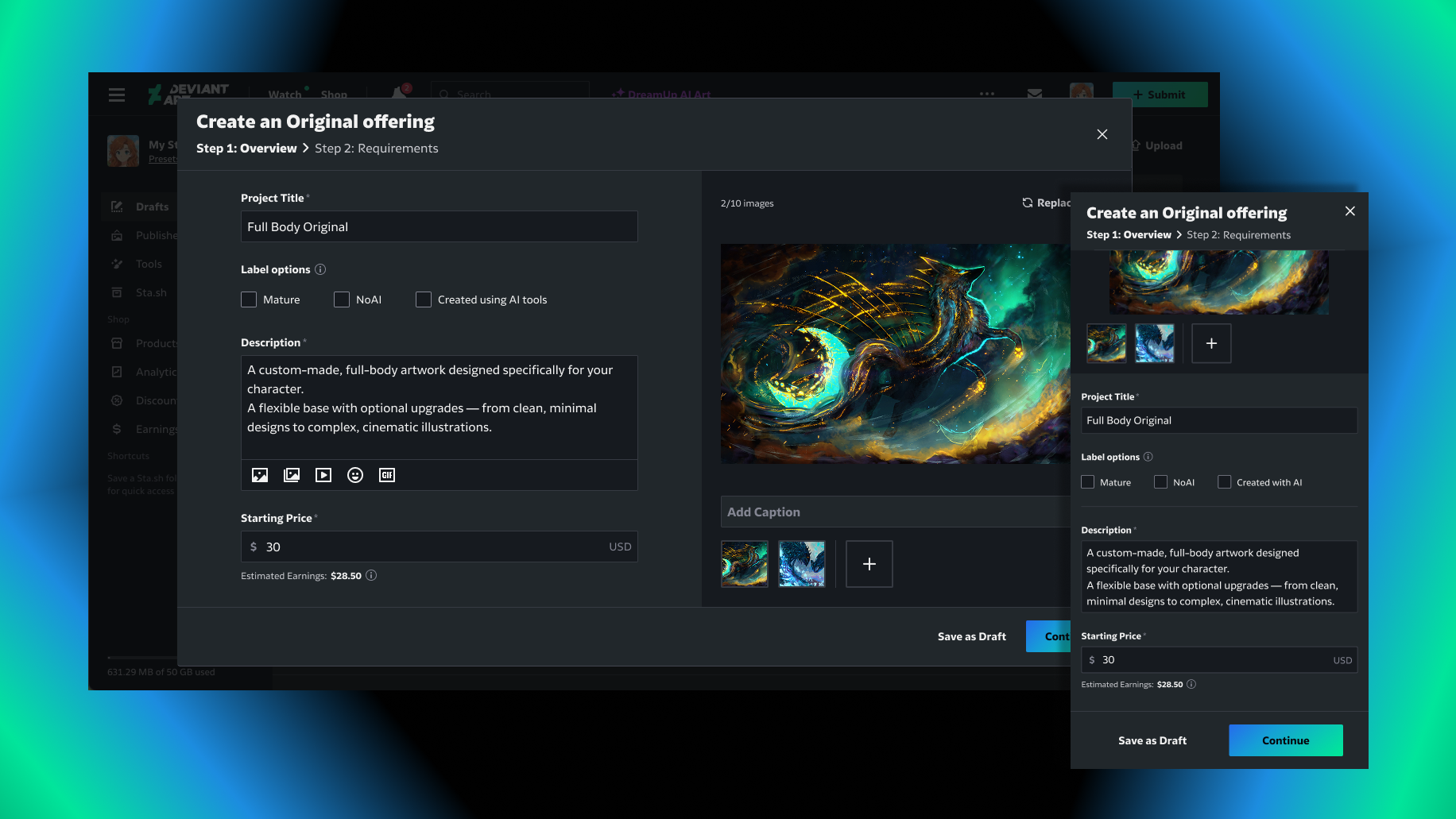
Art by @ERA7
Step 2. Create the Original order form
Customize the order form buyers will fill out when requesting an Original.
- Add questions to help your buyers pass along as much information as possible (up to 25)
- For each question, choose the answer type: single-choice, multiple-choice, or free text and images
- For single- or multiple-choice questions, you can optionally attach a price to each option (for example, charging more for an additional character)
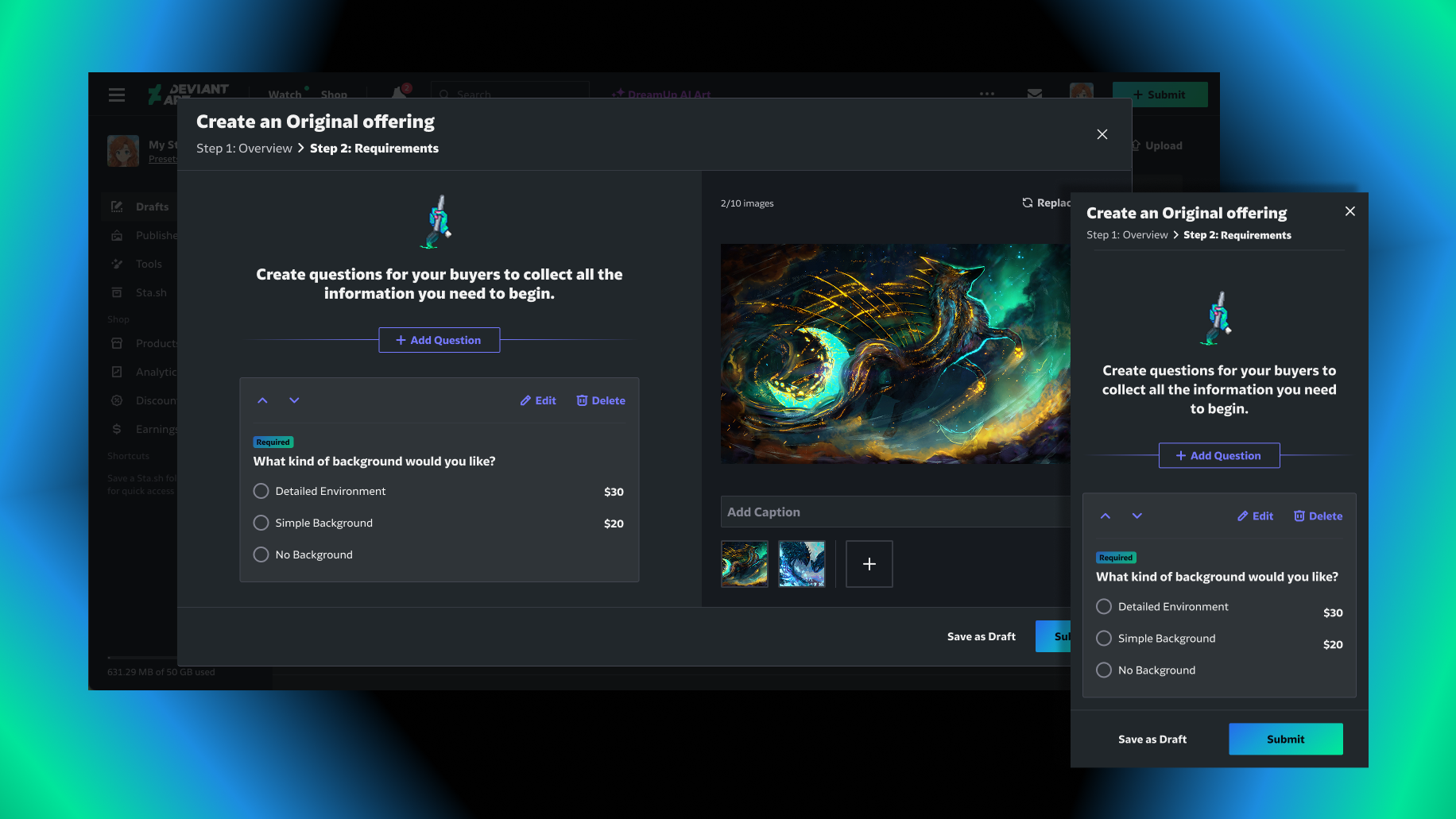
Art by @ERA7
You can always go back and edit the form after publishing if you need to make changes.
You can always go back and edit the form after publishing if you need to make changes.
Your Originals appear in the Originals tab of your Shop. If you’re unable to accept new requests, you can close Original orders at any time.
How do I manage my Originals?
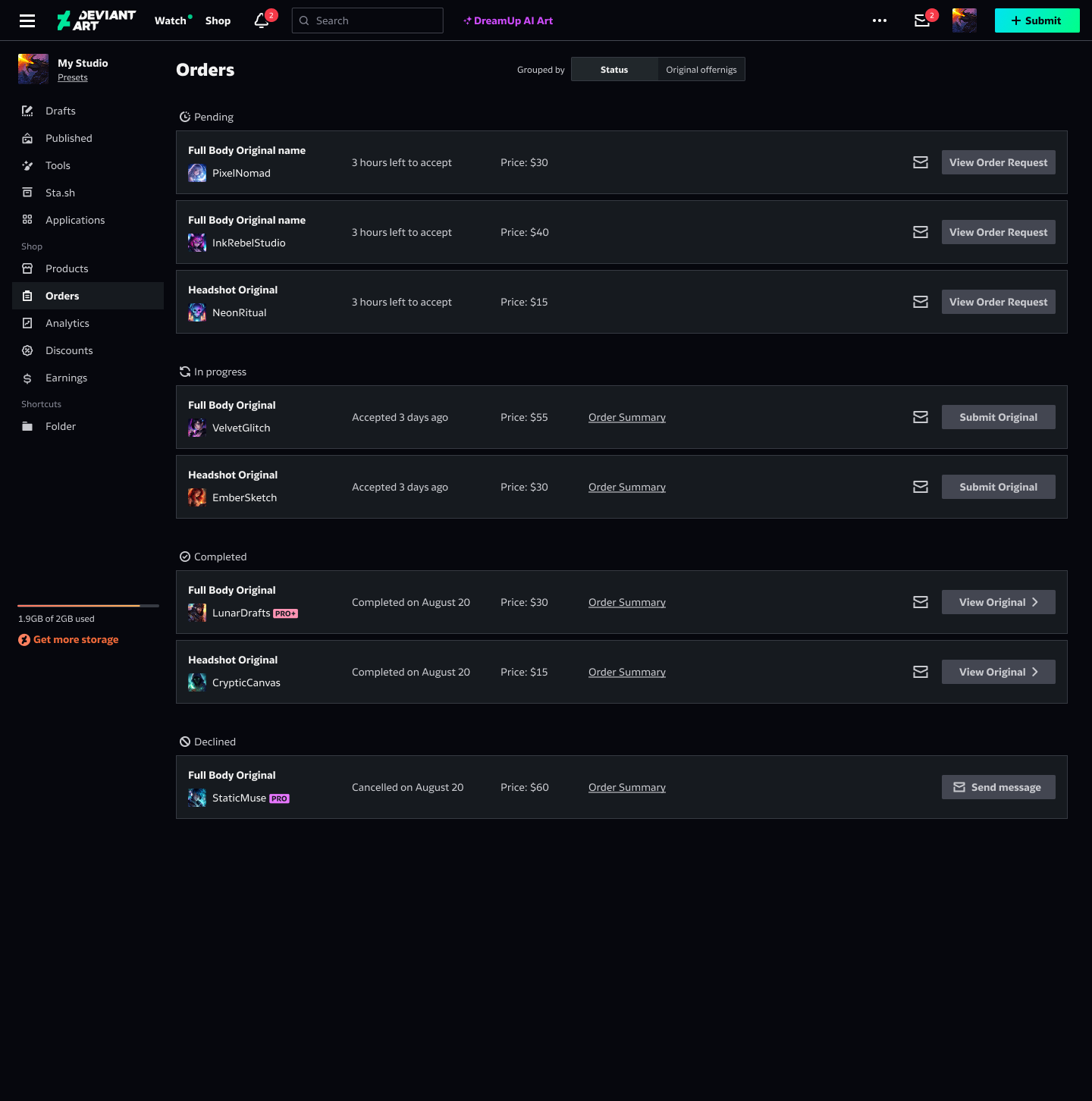
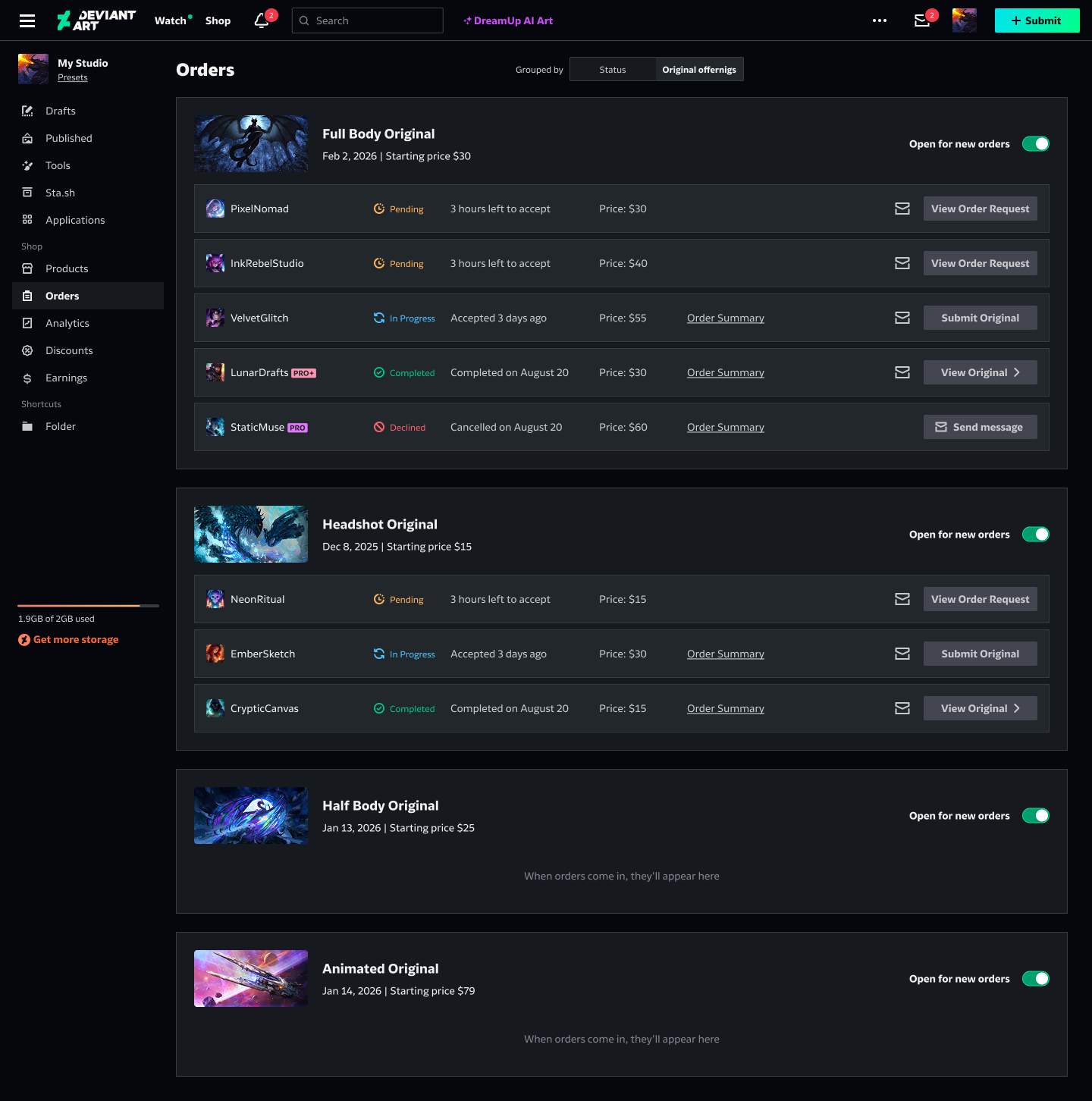
Manage all Original orders under Orders in Studio, where you’ll see pending requests, works in progress, and completed orders.
Pending requests
When a new Original order request is placed, you’ll get an email and notification. You have up to 72 hours to accept or decline an order request, otherwise, it’ll be automatically declined.
In progress
Once your Original is ready to be delivered, click “Submit Original,” and enter the delivery details.
Originals are delivered as Exclusives, which means you can:
- Add a cover image
- Include source files
- Allow or disallow resale of this Original
- Choose the viewability settings: public or unlisted
Completed
View the history of all completed Original orders in one place.
Tip: You can view the full order request from the buyer at any stage to ensure you have all the information you need to complete the Original.
How do I promote my Originals?
Once you’ve listed your Originals, you can share them on DeviantArt and your social media channels to reach fans.
As long as your Core Membership is active, your Original offering may be promoted across DeviantArt through promotional banners and other visibility features.
You can also boost your Original to increase exposure.
Selling Originals is a Core Membership benefit. Learn more about Core Membership benefits and DeviantArt’s platform fee structure.
Was this article helpful?
