
Help Center
Ask Questions. Browse Articles. Find Answers.
How do I properly censor mature and explicit illustrations on DeviantArt?
DeviantArt is a community devoted to creative expression, and its policies are designed to help artists share their work safely and in line with site rules. This article explains how to censor explicit illustrative content that is visible to the public on DeviantArt, so you can continue to post within our guidelines.
Certain mature and explicit illustrative content can be submitted on DeviantArt in some cases. Learn more about those policies and requirements here.
Explicit Illustrative content can be submitted as free, public content only when the following requirements are met:
- The content is labeled as mature.
- The content is fully censored as described below.
Properly censoring explicit illustrative content when visible to the public
Any explicit illustrative content that is visible to the public as a result of poor or incomplete censorship is in violation of DeviantArt's policies. This includes but is not limited to: a Watchers-Only gallery, deviation descriptions, and publicly visible thumbnails, preview, and cover images.
If your censorship is considered inadequate, the content will be removed by our moderation staff with possible administrative action being taken against your account.
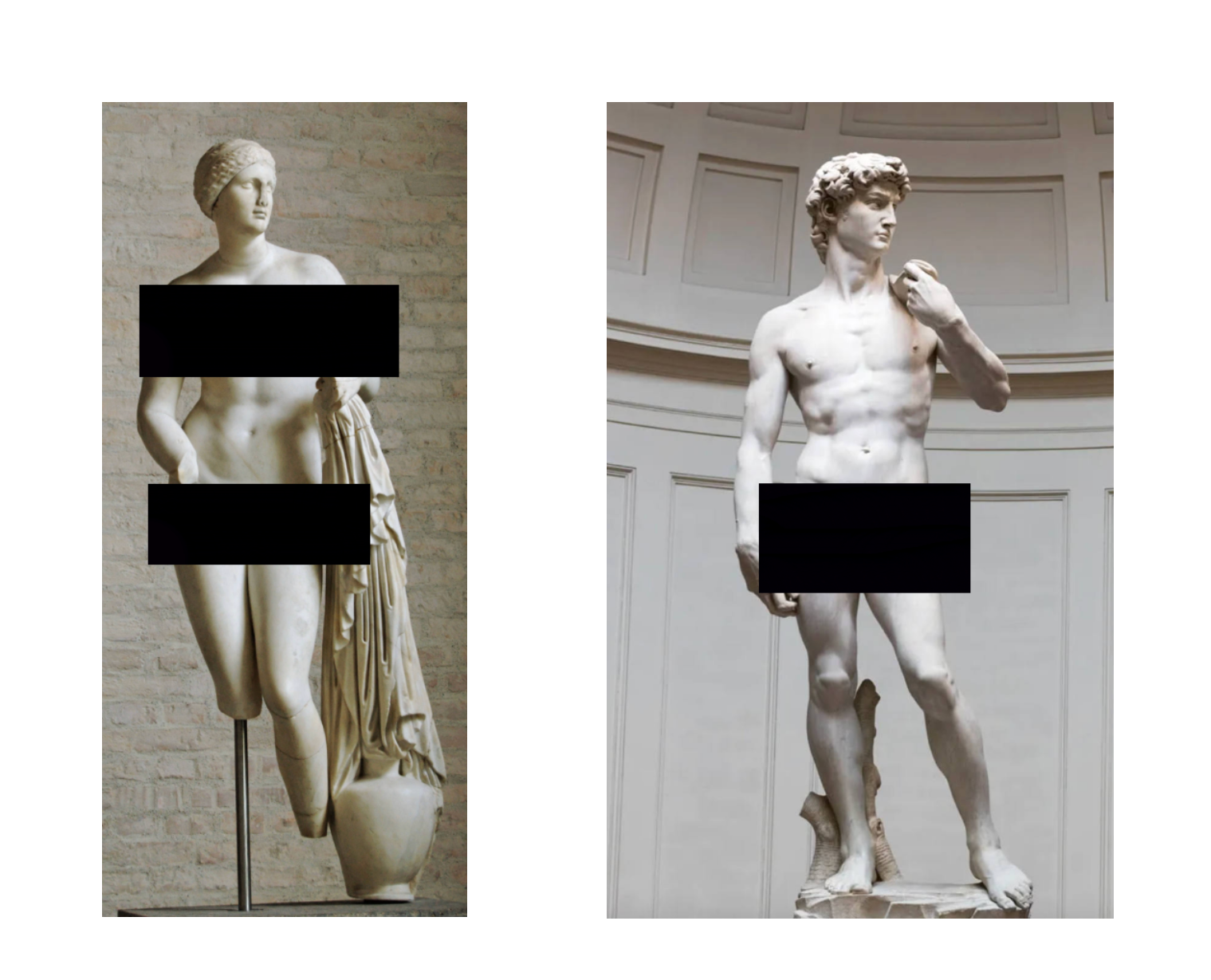
- Make sure to use solid, opaque shapes (such as rectangles, circles, and squares). Censoring methods which result in precise outlines or silhouettes may be considered invalid or bad-faith attempts.
- Note that blurring, pixelation, or mosaic-filtering as a censoring method can yield inadequate results.
- Ensure your censorship properly covers all material in the image which DeviantArt considers explicit illustrative.
- Ensure any explicit text within the image itself is covered.
Examples of proper censoring
These images are not explicit but are shown here only to demonstrate proper censorship.
Was this article helpful?
